When a content team of five creators is tasked with generating visual assets for a single campaign, a subtle but destructive friction usually emerges. Each creator might use the same core brand guidelines and even the same primary prompts, yet they often return with five distinct “vibes.” One image is slightly too saturated; another leans toward a cinematic realism that feels out of place next to the stylized, flat aesthetic of the third. This is the “Fragmented AI Output” problem—a hurdle that costs teams hours in Slack debates and endless re-rolls.
The core of the issue is variability. Most generic generative models are built for breadth, not consistency. They are designed to surprise the individual user with novelty, but for a professional content team, novelty is often the enemy of a cohesive brand identity. To bridge this gap, teams are moving away from loose prompting and toward structured production pipelines. This shift centers on a disciplined model anchor like Nano Banana and a focused post-production phase that prioritizes editing over endless regeneration.
The Fragmentation Crisis in Distributed AI Production
In a traditional design workflow, consistency is maintained through shared style guides, master PSD files, and centralized asset libraries. In the generative era, these safeguards often vanish. When a team scales their output using AI, they frequently encounter what we call “Model Drift.” This happens because large-scale models are highly sensitive to microscopic changes in phrasing or “seed” values, which can lead to wild aesthetic swings between different workstations.
The hidden cost here isn’t just the subscription fee for the software; it’s the production schedule. If an editor spends forty minutes “re-rolling” a prompt to get a character’s face to match a previous iteration, the efficiency of AI is effectively neutralized. We see teams fall into a trap where they produce 100 images to find two that actually “fit” together. This is not a scalable system; it is a high-speed lottery.
Furthermore, there is a psychological “uncanny valley” of brand inconsistency. When images look almost the same but have slightly different lighting temperatures or brush-stroke densities, the audience perceives the brand as unpolished. For content teams, the goal isn’t just to produce a beautiful image—it’s to produce a predictable one.
Establishing the Anchor: Why Nano Banana Solves Model Drift
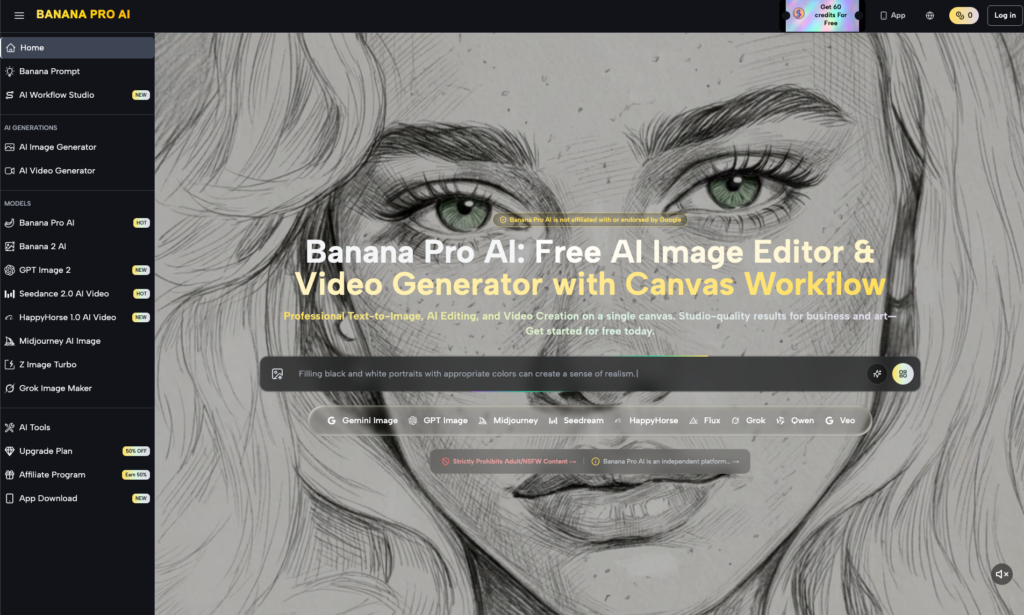
To regain control, teams need a stylistic floor. This is where Nano Banana becomes essential. Unlike massive, multi-modal engines that attempt to be everything to everyone, a specialized model architecture like Nano Banana is designed for stylistic retention. It provides a narrower, more disciplined latent space, which means that when three different team members input a prompt for a “minimalist product layout,” the outputs are far more likely to share a common DNA.
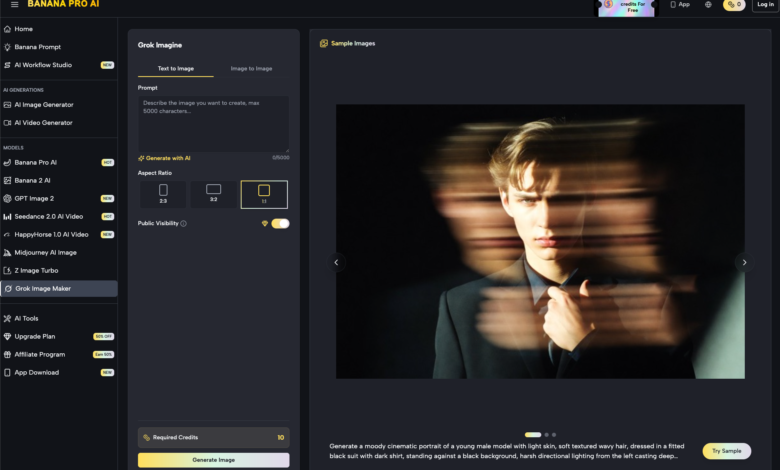
Operationalizing this involves more than just selecting a model. It requires the use of tools like Banana AI to synchronize output parameters across a distributed team. By standardizing on specific model versions and utilizing Seedance features to lock in composition, teams can move from “guessing” what an AI will produce to “directing” it.
One major advantage of this approach is the reduction of visual noise. When the model is tuned to a specific aesthetic range, the “junk” output—those bizarre, unusable artifacts—drops significantly. This allows the creative lead to act more like a curator and less like a janitor, focusing on the high-level narrative rather than filtering through dozens of stylistic outliers.
The Pivot to Post-Production: Precision via the AI Image Editor
A common mistake among teams new to generative media is the “Perfect Prompt Fallacy.” They believe that if they just find the right combination of 50 adjectives, the AI will spit out a final, ready-to-publish asset. In reality, chasing the perfect prompt is a diminishing return. A much more efficient workflow is to aim for 80% accuracy in the generation phase and handle the remaining 20% in post-production.
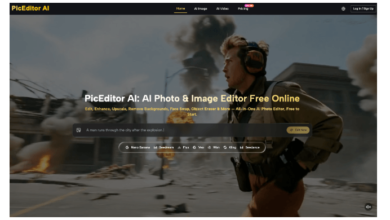
This is where the AI Image Editor transforms the pipeline. Instead of discarding an almost-perfect image because a hand has six fingers or a background element is the wrong color, editors can use targeted refinement. This “precision ceiling” is what separates amateur prompting from professional asset production.
The In-painting Strategy
Using an AI Photo Editor for in-painting allows a team to maintain a background generated by the model while swapping out specific foreground elements. For example, if the brand needs to showcase a specific product variant that the AI doesn’t inherently “know,” the team can generate the stylistic environment first and then meticulously mask in the correct product. This preserves the lighting and texture of the original generation while ensuring factual accuracy.
Correcting Anatomical and Spatial Errors
It is a known reality that even the best models occasionally struggle with complex spatial logic. Rather than wasting computational credits on a full regeneration, a quick pass through a dedicated editor can fix lighting inconsistencies or limb placements. This “fix-first” mentality keeps the production moving and prevents the team from getting stuck in a feedback loop with the generator.
Managing Expectations: What Generative Pipelines Still Can’t Automate
Despite the rapid progress of tools like Banana AI, it is important to acknowledge where the technology currently plateaus. Professional teams must build their workflows with these limitations in mind to avoid mid-project bottlenecks.
First, typography remains a significant challenge. While some models are getting better at rendering short words, complex brand messaging or specific font weights are almost never handled correctly within the generation process. We currently advise teams to treat all AI-generated text as a placeholder at best. The expectation should be that text elements will always be added or corrected in a dedicated graphic design suite after the visual base is finalized.
Second, there is a persistent uncertainty regarding cross-platform rendering. An asset that looks perfectly balanced on a high-resolution desktop monitor may reveal subtle tiling artifacts or “ghosting” when processed through a video workflow, such as Seedance 2.0 or other animation tools. We are not yet at a point where a “one-click” generation can reliably scale from a static social post to a 4K video background without manual inspection. Human oversight is not just a safety net; it is a structural requirement for quality control.
Finally, complex spatial relationships—such as two people shaking hands or a character interacting with a specific piece of machinery—often require multiple iterations or heavy manual compositing. Expecting the AI to understand the nuance of human grip or the mechanical logic of a proprietary tool is a recipe for frustration.
See also: Harnessing the Sun: The Rise of Solar Water Pump Technology for Sustainable Agriculture
Operationalizing the Output: A Blueprint for Repeatable Assets
To move from experimentation to a true production house, content teams should reconsider their internal roles. We are seeing a transition from “AI Artists” to “Visual Systems Operators.” The focus is no longer on the “magic” of the prompt, but on the reliability of the system.
A repeatable workflow looks like this:
- The Style Library: Instead of a list of prompts, the team maintains a library of “Style References” created within the model. These serve as the visual north star for every new generation.
- The Master Prompt Library: A living document of proven prompt structures that work specifically with the chosen model. This eliminates the “creative block” that occurs when a team member starts from a blank cursor.
- The Multi-Stage Audit: Every asset goes from the generator to the AI Photo Editor for “cleaning,” then to a Creative Lead for brand alignment.
- Integration: Using the API or web-based tools in conjunction with project management software ensures that the AI-generated assets are treated with the same version-control rigor as a traditional photo shoot.
By treating the generative process as a manufacturing line rather than an art studio, teams can finally unlock the volume that AI promises without sacrificing the visual integrity of the brand. The combination of a stable model base and a high-precision editing layer is the only way to ensure that “Generated by AI” remains synonymous with “Professional Grade.”